Test your integration in our Worldpay Plugin admin portal with the credentials your Worldpay Implementation Manager has given you.
- Go to our Plugin admin portal.
- Log in as App Administrator and go to Configuration → General using the left side menu.
- Select your store from the dropdown menu and the "General Configuration" fields appear:
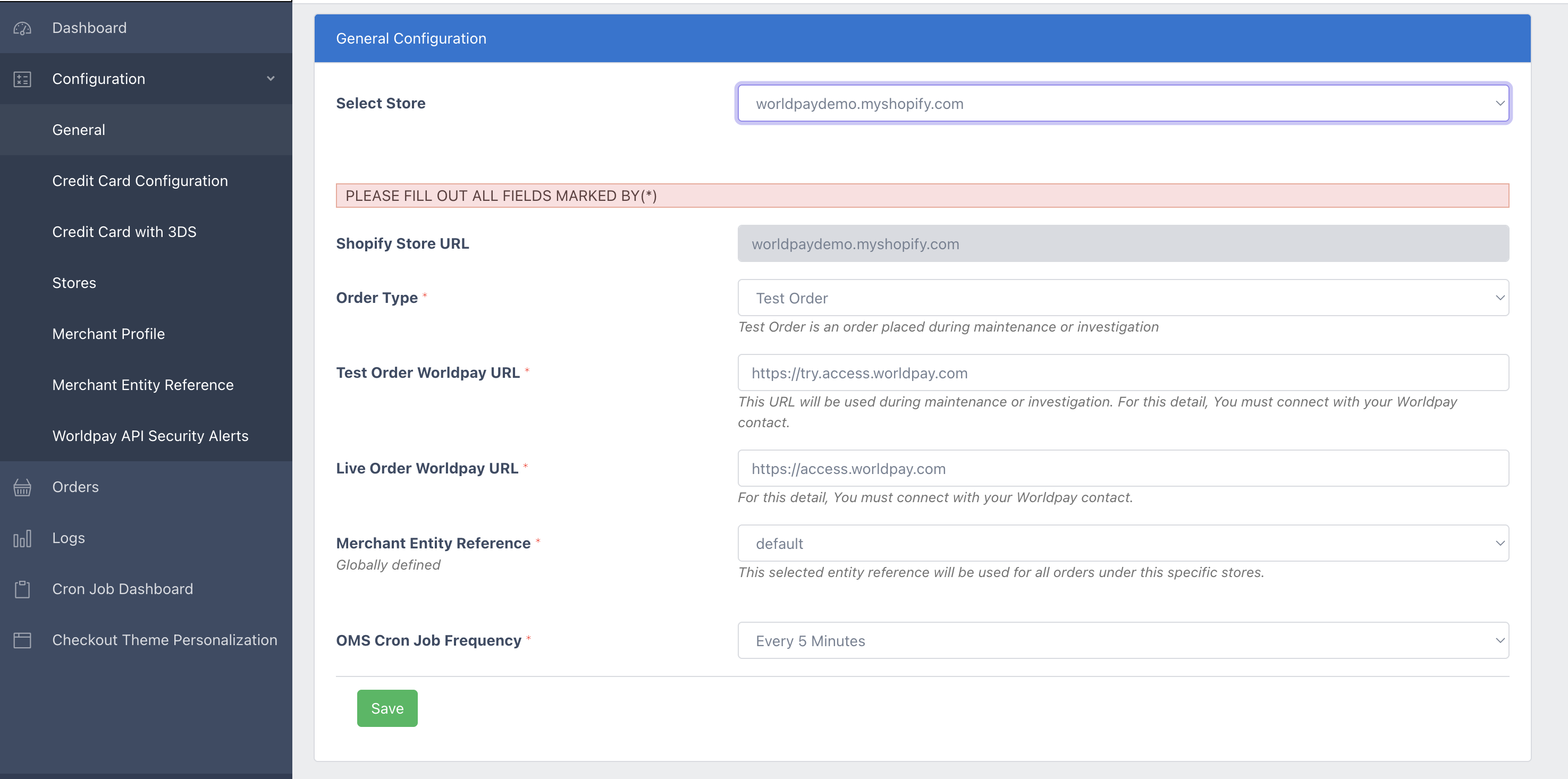
In the "Order Type" field, select "Test Order".
Set the "Merchant Entity Reference" field to "default".
You can now test taking payments in our Try environment. Find our card number test values on our HPP testing page.
After testing is complete and before the production launch, follow the steps above in our Worldpay Plugin admin portal and set the "Order Type" field to "Live Order".
Set the "Merchant Entity Reference" field according to the information your Worldpay Implementation Manager has given to you.
Go to the Shopify store admin panel and click on the "Settings" icon in the bottom left of the screen.
Next, click on "Payments" in the left side menu and then "Worldpay Payments" under "Additional payment methods".
Make sure the "Test mode" switch at the bottom of the page is deselected and click "Save".
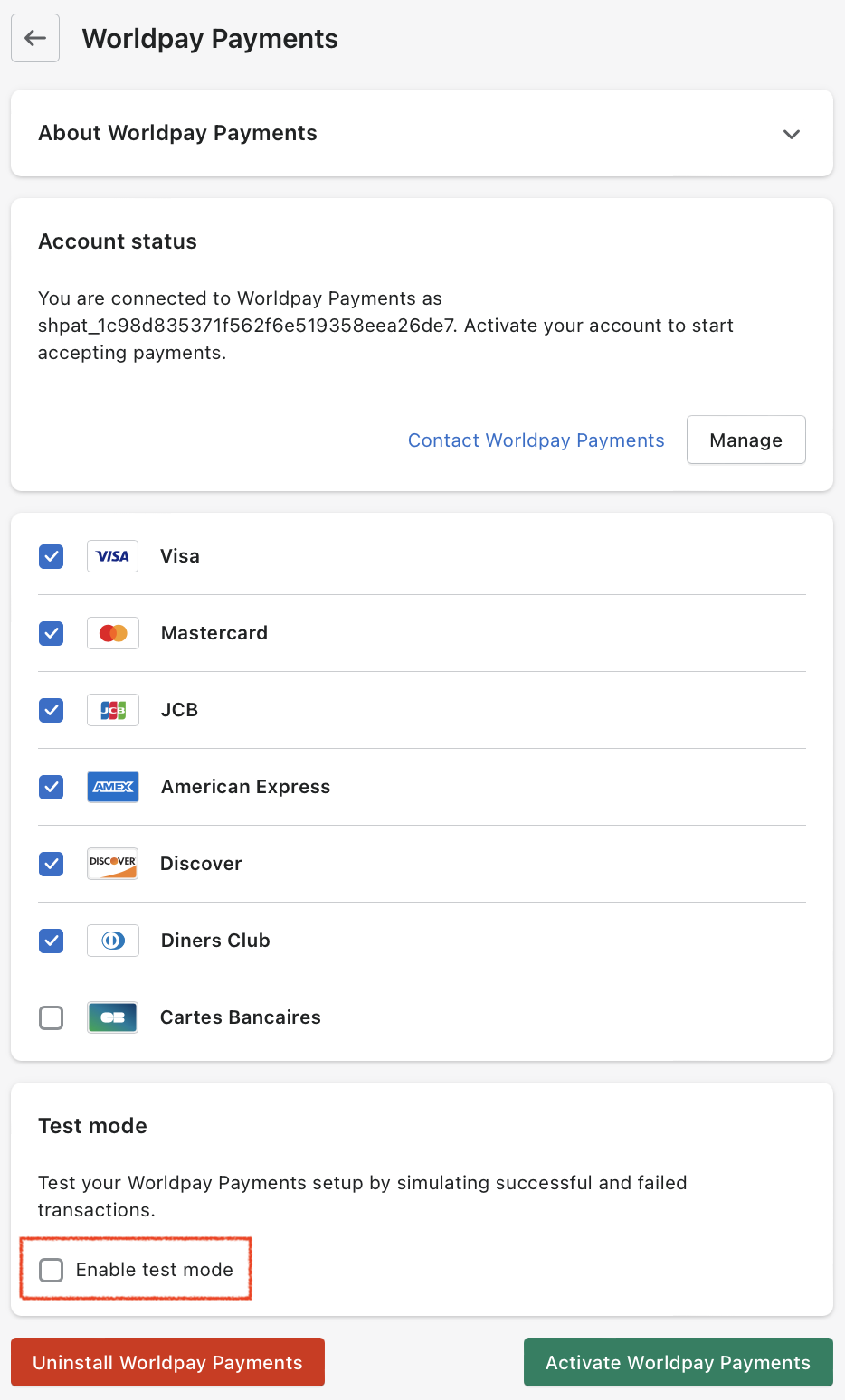
- You can now initiate a live transaction.
Next steps