Test your 3DS integration in the Try environment using the magic values provided below. Send requests and see simulated responses.
If you're creating tokens containing the test card numbers you must delete the token before creating another with the same PAN. You are prevented from creating another token using the same PAN. As an alternative, you can also change the namespace used as part of the token creation.
When initializing the Google Pay SDK set:
gatewaytoworldpayenvtoTESTgatewayMerchantId(this is not the Access Merchant ID, it is specific to Google Pay) - request the value from your Account Manager if not known
Your wallet is replaced with a number of test card wallet items. The main schemes and scenarios below are mapped to items in this test wallet.
The Test values (2.2.0) column and the value under Google Pay test wallet name: match up to the wallet item that the Google Pay test wallet selection displays when set with the values above. The CB brand is not supported for testing.
All test numbers return unauthenticated (PAN_ONLY / FPAN) wallet tokens regardless of the device they are issued from.
The exception is the 3dsAlreadyAuthenticated scenario in the table below. This uses the same card numbers as the 3dsBypassed scenario, but if the Google Pay SDK generated the wallet token whilst on an Android device this meets SCA and in the SDK response you see "cardHolderAuthenticated": true.
...
"paymentMethodData": {
    "description": "A Bypass: Visa •••• 2560",
    "info": {
      "assuranceDetails": {
        "accountVerified": true,
        "cardHolderAuthenticated": true
      },
    }
}
...| Google Pay test card landing | Google Pay test wallet selection |
|---|---|
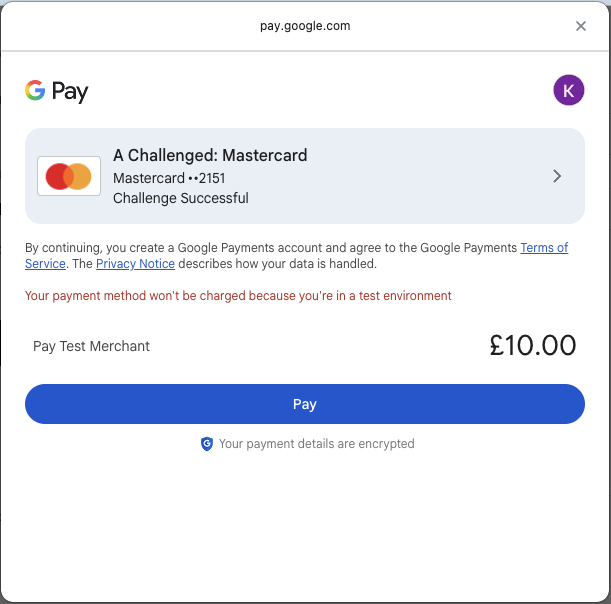 | 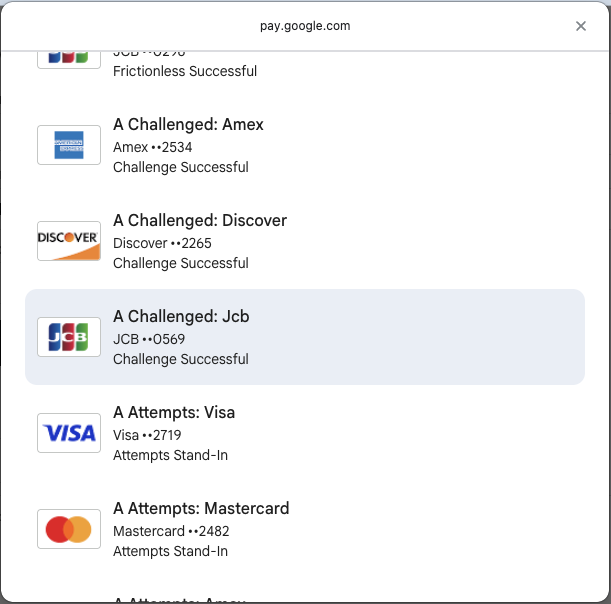 |
Liability shift is confirmed on payment authorization. The test card number tables show the different scenarios and the likely liability shift based on the authentication details provided (e.g. authenticationValue, eci, transactionId).
Use different card numbers to alter the 3DS authentication outcome.
You must use a test card number from the table below. Using a number not listed results in the challenge failing to load.
Do not mix the old test
cardHolderNamevalues used for API v1/v2 with this or you will get unexpected scenario outcomes. Set thecardHolderNameto any other value e.g.Bob Smith
| Test scenario | Description | Test values (2.2.0) | Outcome | Action |
|---|---|---|---|---|
3DS Frictionless | Issuer assessment resulted in a frictionless 3DS authentication. |
Google Pay test wallet name: |
| Apply the authentication object in the payment request and proceed with authorization. |
3DS Challenged | The issuer prompts a challenge and the customer responds successfully. |
Google Pay test wallet name: |
| Apply the authentication object in the payment request and proceed with authorization. |
3DS Attempts Stand-In | The cardholder is enrolled in 3DS, but the issuer does not support it; the scheme provides a stand-in authentication. |
Google Pay test wallet name: |
| Apply the authentication object in the payment request and proceed with authorization. |
3DS Rejected | Authentication is rejected by the issuer and no challenge is offered. |
Google Pay test wallet name: |
| Do not proceed with payment authorization. Retry 3DS or use another payment method. |
3DS Not Authenticated | Issuer failed the authentication without offering a challenge. |
Google Pay test wallet name: |
| Do not proceed with payment authorization. Retry 3DS or use another payment method. |
3DS Unavailable | The cardholder is enrolled, but authentication is unavailable. |
Google Pay test wallet name: |
| Proceed as a non-authenticated transaction or retry authentication. |
3DS Error (downstream Issuer/ACS) | An error occurs while attempting authentication. |
Google Pay test wallet name: |
| Proceed as a non-authenticated transaction or retry authentication. |
3DS Timeout | Timeout during the authentication request. |
Google Pay test wallet name: |
| Proceed as a non-authenticated transaction or retry authentication. |
3DS Challenge Failed | The issuer prompts a challenge and the customer responds with incorrect details, such as an OTP or fingerprint. |
Google Pay test wallet name: |
| Do not proceed with payment authorization. Retry 3DS or use another payment method. |
| 3DS Outage | Recognized downstream issue or timeout, such as a Visa, Mastercard, or ACS provider outage. Additional setup is required. Speak to your Worldpay Implementation Manager for more information. |
| 3dsOutage
| Proceed as a non-authenticated transaction and apply the authenticationOutage exemption or retry authentication. |
3DS Bypass | Bypass the consumer authentication flow via the Cardinal Rules Engine configuration. Returned when 3DS premium is enabled or when there is a timeout connecting to the 3DS directory server. |
Google Pay test wallet name: This scenario re-uses the card numbers for the |
| Proceed as a non-authenticated transaction. |
3DS Exempted | An authentication based exemption is used and is successful. This is only applicable if you are using SCA exemptions. |
Google Pay test wallet name: |
| Apply the authentication object and the exemption in the payment request and proceed with authorization. |
3DS Already Authenticated | A Google Pay encrypted payload that is already authenticated |
This scenario re-uses the card numbers for the |
| Proceed to payment using the encrypted payload. |