Last updated: 05 August 2026 | Change log
Use the Hosted Payment Pages session URL you have received to redirect your customer to complete a one-time payment.
You can redirect the customer's browser to the Hosted Payment Pages session URL as a GET request, by e.g. sending a HTTP 302 response or embedding JavaScript in the response to their browser.
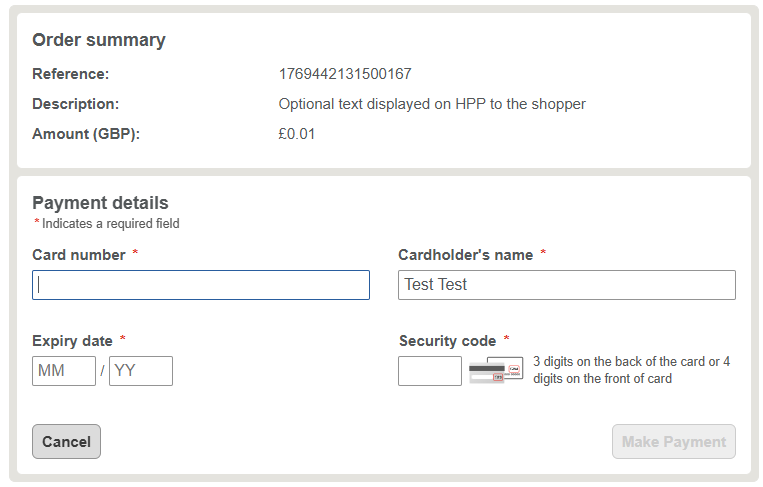
You can use our JavaScript library to either:
- embed Hosted Payment Pages inside an iframe
- overlay Hosted Payment Pages in a lightbox
This is useful if you want to display content around the payment pages, or to retain your customer on your website.
Refer to the iframe/lightbox documentation.
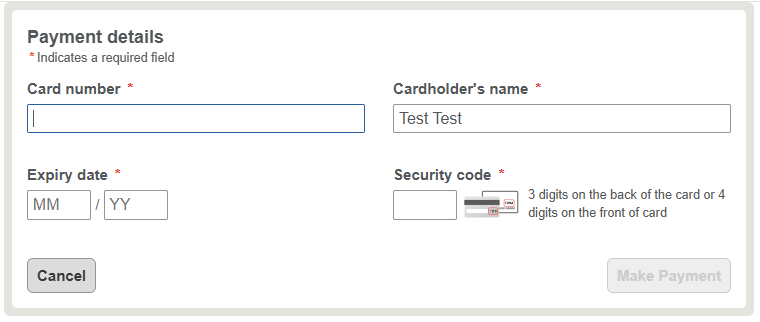
When using our hosted payment pages in an iframe, we are not displaying the order summary.
You can open the Hosted Payment Pages session URL in the customer's default mobile browser.
We strongly recommend not using a WebView because (in some cases) third-party apps (such as bank apps) may open, and return to the Hosted Payment Pages in the customer's default browser. This breaks the flow due to missing session data in the browser.
There are two recommendations on how to use Hosted Payment Pages when coming from a mobile app:
- You can open the Hosted Payment Pages session URL in the customer's default mobile browser.
- In the customer's default mobile browser, redirect to your own webpage and open Hosted Payment Pages in an iframe/lightbox.
Depending on the web technology/framework you are integrating with, use one of the inject options documented in the iframe-only parameters section.
You can redirect back to your mobile app, at the end of the payment journey on Hosted Payment Pages, using the redirect URL parameters (for example: successURL). Use a custom URL scheme to launch your app. Custom URLs must be white-listed in the payment page designer.
Refer to the following custom URL scheme documents for more information:
If you launch HPP from a mobile app and want to offer Google Pay, add your domain in your dashboard.
Contact your Worldpay Implementation Manager who will set the domain for you.
To manage your payments we recommend using our webhooks to receive the latest status of your payment to your server in real-time.
Use the link provided in the response to your HPP request to retrieve the paymentId from our Payment Queries API. With that you can send a GET request which returns appropriate next action links allowing you to cancel or refund the payment.
If you are a Worldpay eCommerce customer you can also log into your Dashboard to manage your payments. You can:
- view
- refund
your payments.
Next steps